Case · Construction

UCO: a Webflow website for a Toronto contractor.

A company website for UCO Construction Group, presenting its services through a clear structure, job photography and estimate requests. The English Webflow implementation uses reusable components for repeated interface elements.

  • Construction
  • Contractor
  • Webflow
  • English
  • Toronto, Canada
ucogroup.caUCO Construction Group website preview
English website

Services and company information for a Toronto contractor.

Webflow components

Repeated blocks share an editable structure.

Visible estimate request

A prominent contact action on the saved opening screen.

The project

Task, approach and delivery

The task

A contractor’s website needs to help a visitor recognise the relevant service and understand how to start a conversation about the work. UCO’s project combined service presentation, company information and contact routes within one English website.

The approach

We organised the service information and rebuilt repeated blocks and modals as reusable Webflow components. The design combines a prominent estimate action with photography and a route to more detailed company information.

What we delivered

An English company website on Webflow with reusable interface components. The client can maintain content within the agreed structure; substantial changes to that structure still require a design review.

A contractor website that makes the next conversation easier

UCO Construction Group is a useful example for a business selling several related services. A visitor may arrive looking for a deck, flooring or painting rather than for the company by name. The website needs to make that service recognisable, show relevant work and give the person a clear way to request an estimate.

A first screen with a specific subject

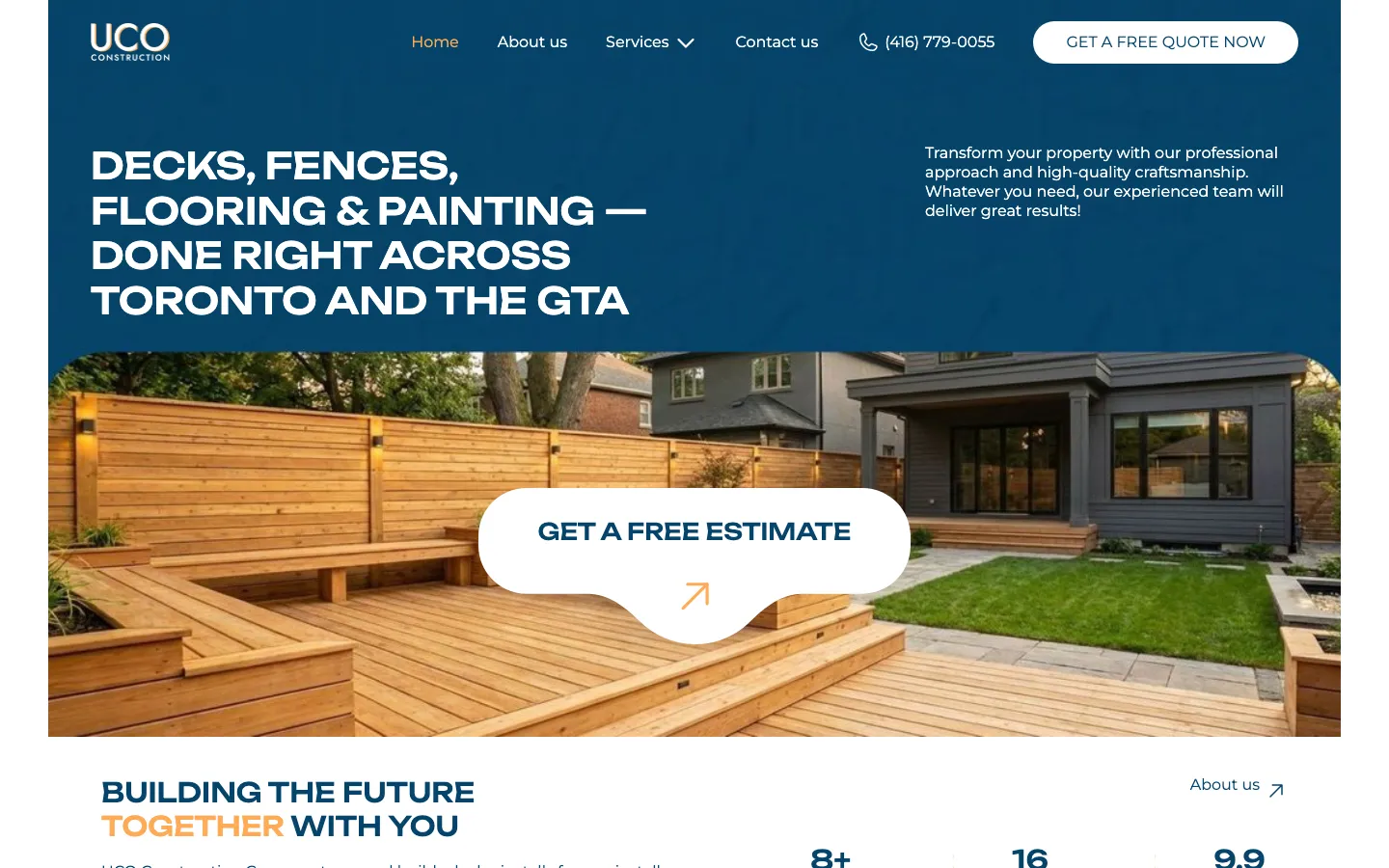
The saved design names the main service categories in a large headline and places the Toronto service area in the same visual statement. The background is deep blue, while the image below shows an outdoor space with timber work. That pairing gives the message a concrete subject. It is easier to interpret than a generic construction photograph beside a promise to deliver quality, because the words and the visible work refer to the same kind of task.

The estimate action is deliberately prominent. A large white shape sits over the image, and another contact action appears in the header near the telephone number. The orange detail connects the call to action with the accent used elsewhere in the composition. These choices establish a hierarchy: recognise the service, inspect the visual example, then contact the company. Their value can be discussed from the design itself; a claim that the button increased enquiries would require analytics that this case does not provide.

Different services need different explanations

New outdoor work
A person considering a deck or fence needs to understand whether the contractor handles the kind of structure they have in mind. Relevant images should help establish that fit. For a similar service page, we would ask for an explanation of the working area and the information needed for an initial conversation, rather than fill the page with interchangeable statements about professionalism.
Work inside a home
Flooring and painting introduce different questions: what part of the home needs attention, what condition it is in and what the owner expects to change. A useful brief should identify which of those details the company needs before discussing an estimate. They should inform the content and the enquiry route without turning the first contact into a lengthy technical examination.
Company information
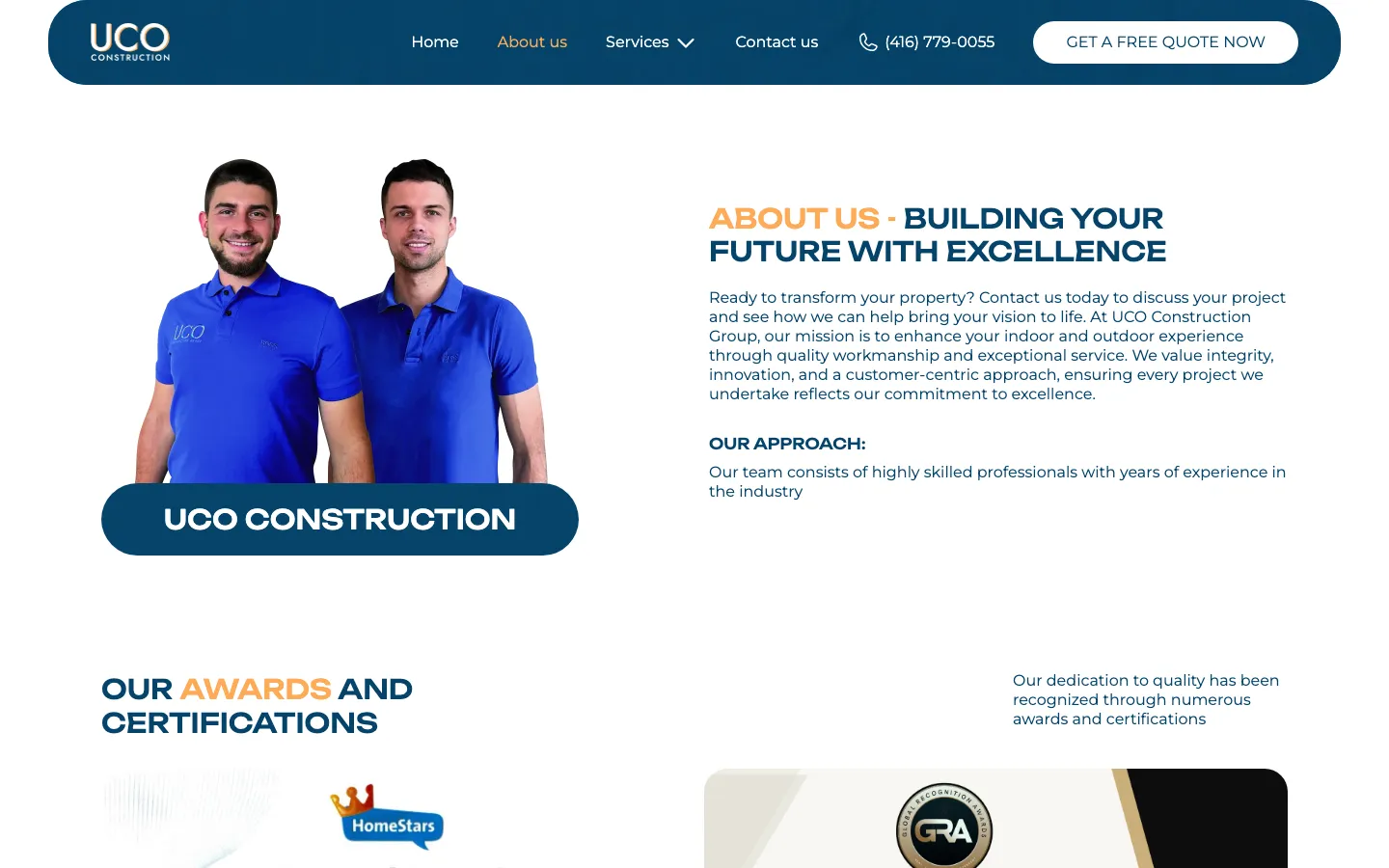
The company page supports a broader decision about who will carry out the work. It should remain distinct from a service description. In a comparable project, team information and approved evidence of previous work belong here, with any credentials checked before publication. The website designer cannot infer qualifications, insurance or guarantees from a photograph of a completed job.

A component system is an editing decision

The project records describe repeated blocks and modals rebuilt as reusable Webflow components. This matters when a contractor has several service pages carrying the same contact elements. Editing each copy separately creates opportunities for different telephone numbers, button labels or spacing to remain on different pages. A shared element gives the team one place to maintain the part that is genuinely common.

Reusability still needs boundaries. A contact prompt may be shared, while a description of a deck project and a description of interior painting should retain their own content. If every service is forced into identical text, the website becomes easier to maintain but less helpful to a visitor. The useful distinction is between repeated interface structure and service-specific explanation. The former can be consistent while the latter answers a different set of practical questions.

For a similar build, we would test an ordinary content change before handover: replace a service image, shorten a heading and change a shared contact label. That reveals whether the editing model behaves as the team expects. Components reduce certain maintenance risks; they do not make a website impossible to break. Long text, inappropriate images and changes to the page structure still need review, especially when a new editor starts using the site.

From a service to an estimate request

  1. Find the relevant work

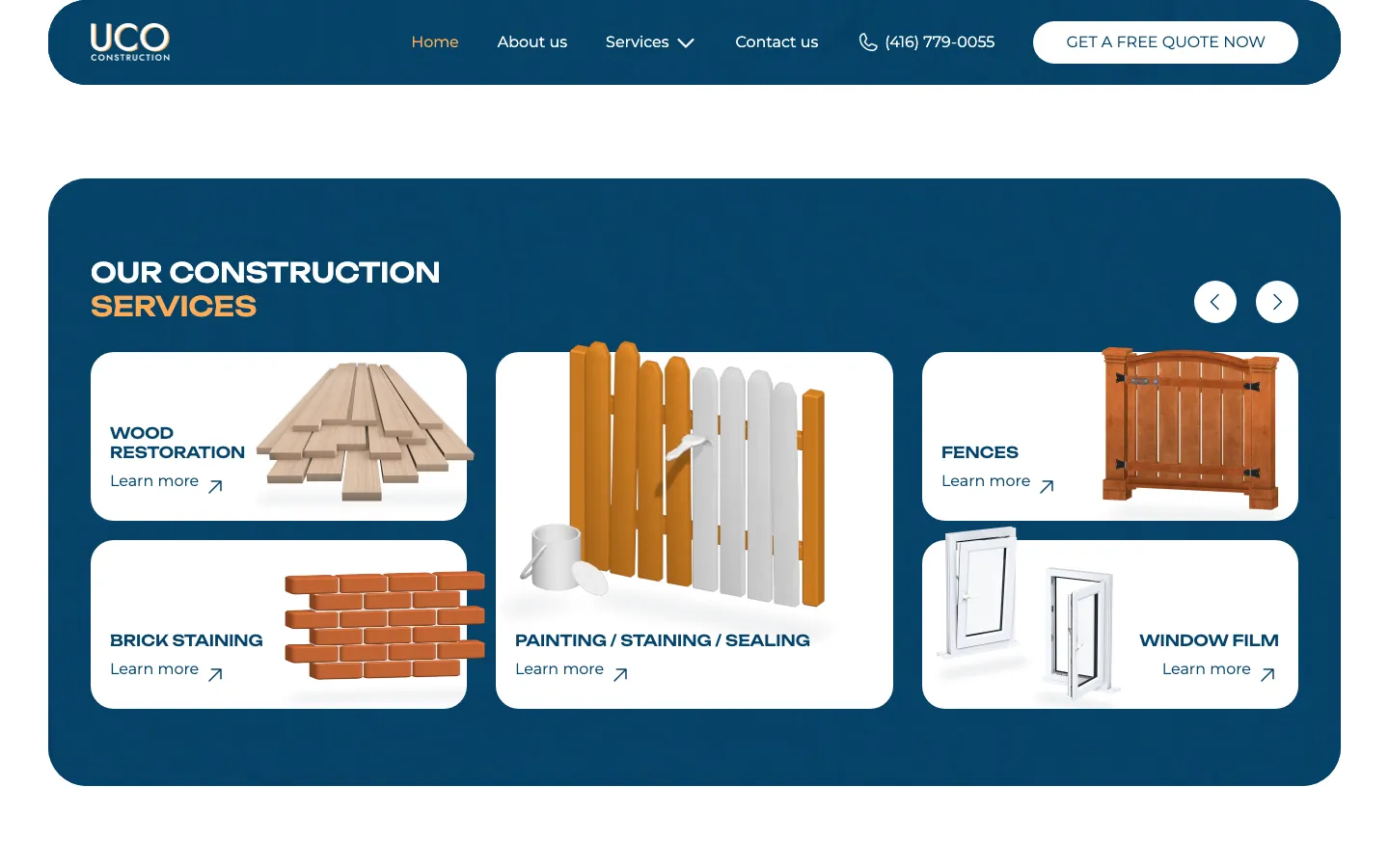
    Service navigation gives a visitor a more precise route than browsing a general gallery and guessing which jobs the company accepts. For a new contractor site, we would use the company’s real service list and language its customers recognise. The starting point is the offered work, not an invented catalogue of services added to create more search pages.

  2. Prepare a useful question

    Before contacting the company, a visitor should understand what the page covers and what still needs discussion. A comparable site could explain which basic details help the first conversation. The exact questions need the contractor’s input: the website should support the way estimates are actually prepared, rather than promise an instant price for work that requires inspection.

  3. Make contact on a phone

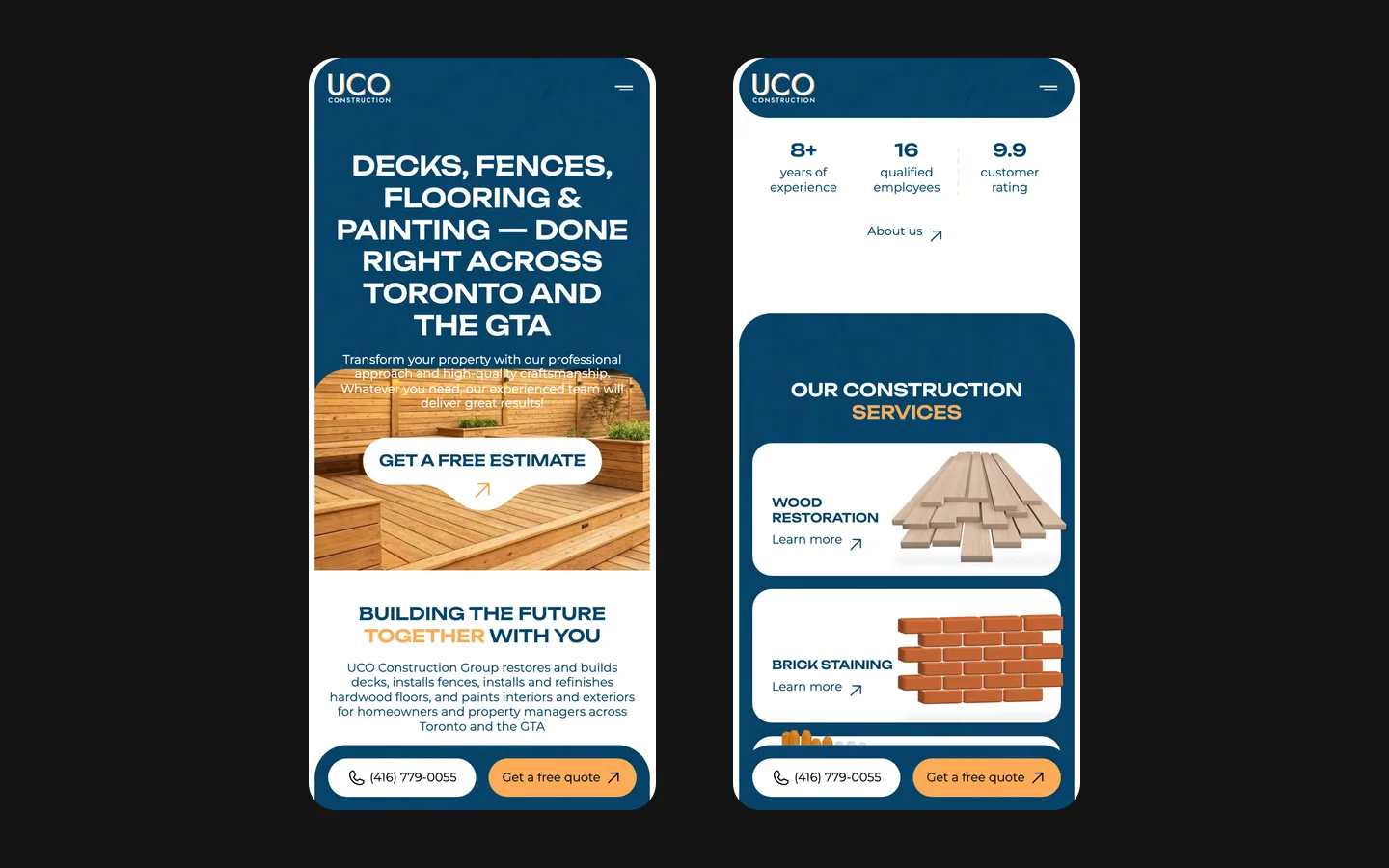
    A telephone route and an enquiry route accommodate different situations. A person may be ready to call or may be reviewing options when a conversation is inconvenient. During acceptance of a similar website, we would check both paths on a small screen, including the confirmation and error messages. A visible button is only the beginning of that check.

Photography should explain the kind of work

The hero image in the saved design introduces the subject immediately. Its timber surfaces, fence and adjacent building support the headline. The wider project gallery has a different role: it offers more evidence after the visitor understands the company’s services. Keeping those uses separate avoids treating every image as interchangeable decoration.

For a contractor commissioning a similar website, a carefully selected set of images is more useful than a large folder without context. Each photograph should have a known relationship to a service and permission for publication. If before-and-after pairs are available, their framing and description need to make the comparison fair. We would not label unrelated photographs as a transformation or infer the scope of the contractor’s work from everything visible in the picture.

A practical starting brief for a contractor

To scope a similar website, bring the current service list, the area the business actually serves, a selection of approved job photographs and the way the team handles estimate requests. It is also useful to identify who will edit the content. A contractor who adds projects every week needs a different publishing routine from one who updates the service description only occasionally. That routine influences the choice of editable collections and shared components.

UCO’s documented deliverable is an English Webflow company website with a reusable component system. The case explains its presentation and maintainability. We do not attribute a number of won contracts, a reduction in estimating time or a conversion percentage to this work. Those would need business records connected to website enquiries. The immediate design objective is more concrete: make the services understandable, allow relevant work to be inspected and help the visitor begin an informed conversation with the contractor.

What the site does

Project features

  • Service navigation

    A route to the kind of work the visitor is considering.

  • Project photography

    Images give the service presentation a concrete subject.

  • Reusable elements

    Shared interface components support consistent editing.

  • Contact routes

    Telephone and estimate actions are visible in the design.

Questions

About UCO Construction Group

What platform was used for UCO?

Webflow, with reusable components for repeated interface elements.

Does the case contain measured sales results?

No. It documents the website, visual decisions and editing structure.

Start a similar project.

Tell us what your site has to do. A short call, then a fixed price in writing.