Case · Healthcare

TK Cosmetology: a bilingual training-school website.

A Polish and Ukrainian Webflow presentation of the school, instructors, beginner and advanced courses, online lectures, news and contact. The first-screen navigation gives the learning routes recognisable names; a central course action leads visitors further.

  • Healthcare
  • Aesthetic medicine education
  • Webflow
  • PL · UK
  • Wrocław, Poland
tkcosmetology.comTK Cosmetology website preview
Course navigation

Beginner courses, advanced courses and online lectures have recognisable entries. project records and saved screens

Instructor information

Profiles and approved school material introduce the people teaching. project records and saved screens

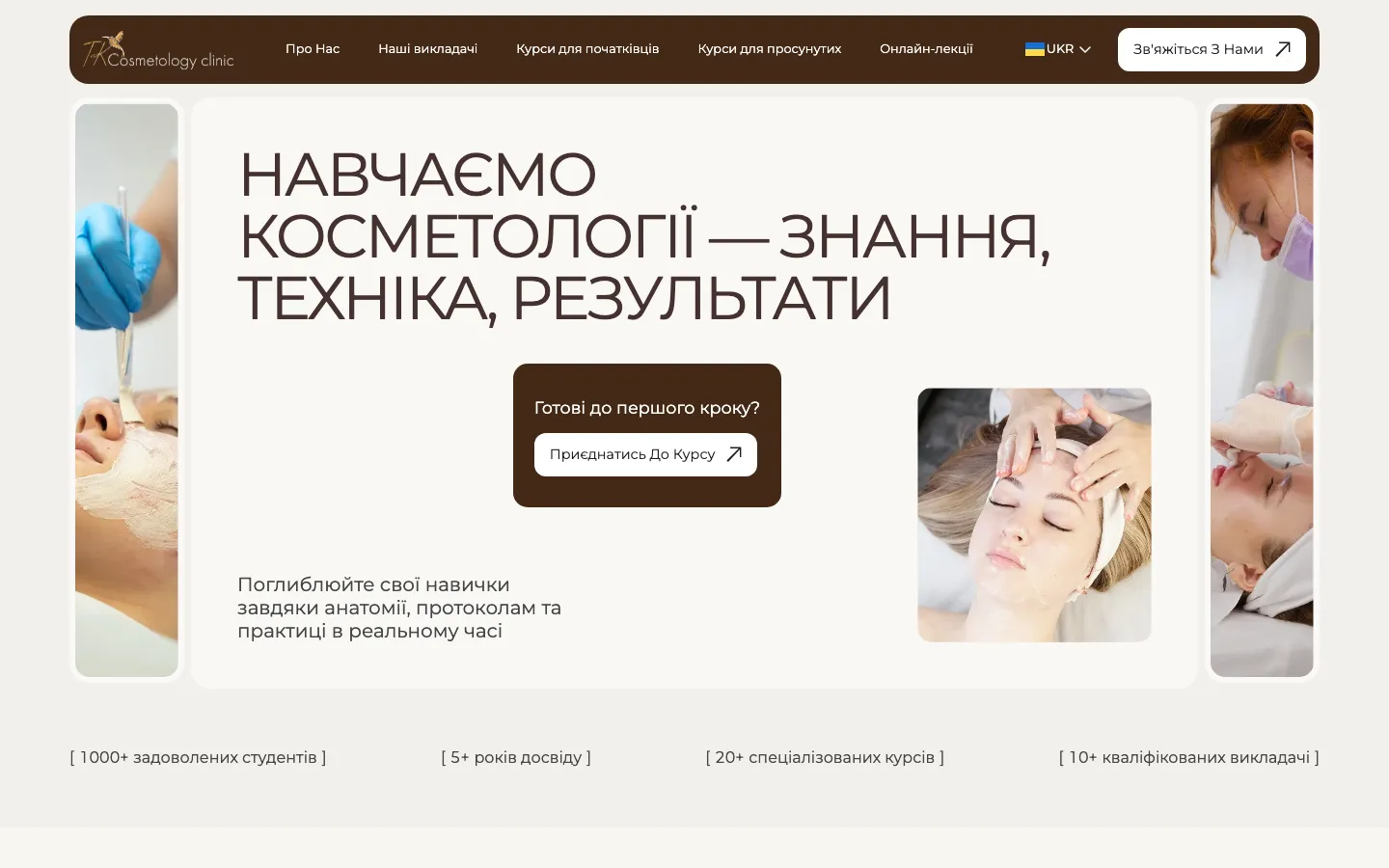
Polish and Ukrainian

Two language versions in the recorded scope. project records and saved screens

The project

Task, approach and delivery

The task

Make course levels and formats understandable to people with different backgrounds.

Present approved instructor information and provide a clear route to ask the school about participation.

The approach

We organised beginner courses, advanced courses and online lectures as distinct navigation routes. The cream and brown design combines large typography with photographic framing.

The recorded scope includes instructors and graduate video reviews. Contact routes use Telegram and WhatsApp; opening a conversation is distinct from confirmed enrolment.

What we delivered

A Webflow site in Polish and Ukrainian with about, instructors, beginner and advanced courses, online lectures, news and contact, edited by the school. Domain and hosting in the client’s name.

A training-school website that helps visitors choose the right course route

TK Cosmetology's recorded website scope is a Polish and Ukrainian Webflow presentation for a training school in Wrocław. It includes the school, instructors, beginner and advanced courses, online lectures, news and contact. Enquiries are routed to messengers. The design problem is to make those learning routes understandable without treating a course enquiry as proof of eligibility or a confirmed place.

Make the learning offer visible before the detailed syllabus

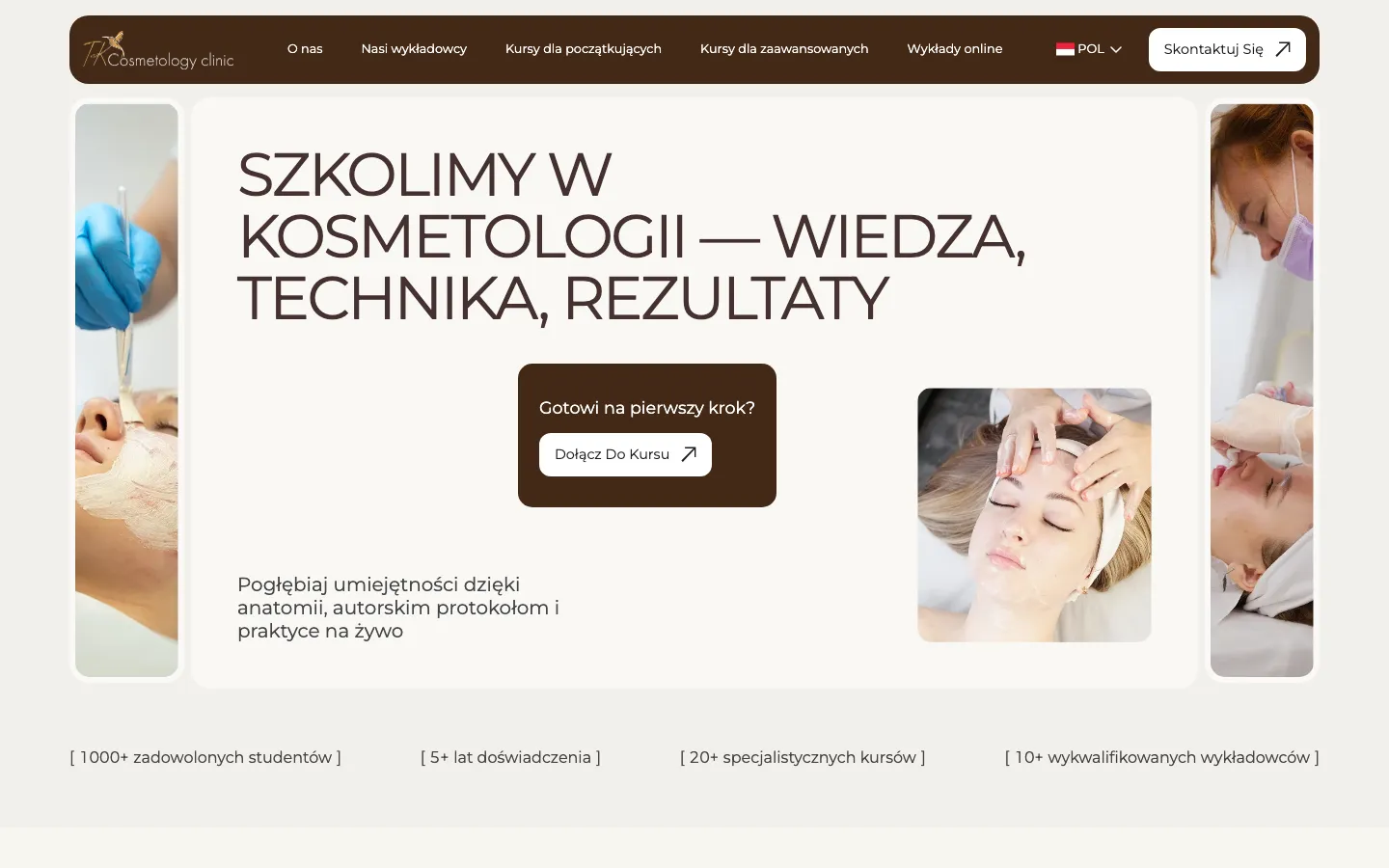
The saved first screen uses a cream background, a dark brown navigation bar and a large typographic statement about training. Narrow photographs frame the composition, while a central panel contains a course action. The page has a recognisable visual subject immediately: education connected with cosmetology. It does not start with a dense timetable or require the reader to understand every course name before finding a next step.

Beginner courses, advanced courses and online lectures are visible in the header. That is the concrete distinction shown on the saved screen. The body of the hero has one prominent course action rather than two separate audience panels. The case therefore describes the navigation accurately: different learning routes are available from the first screen, without claiming a split-screen selection that the design does not contain.

The photographic framing gives the page a practical learning context, while the broad central area keeps the introduction readable. A similar training website needs to balance those roles. Images can introduce the subject, but the visitor still needs clear words for the level, format and next action. Visual familiarity alone does not answer whether a particular course is appropriate for that person's background.

Beginner and advanced routes need different explanations

The recorded brief distinguishes people starting out from experienced practitioners. That distinction concerns information needs, not a claim that the groups have nothing in common. Both need to understand the programme, instructors and conditions. Their questions about prior experience and the purpose of a course may differ, so a single undifferentiated list would make the visitor do more work to identify relevant options.

For a comparable school, course-level labels should be defined by the organiser. A website designer should not decide who is permitted to attend or what professional activities a certificate authorises. The page can make the approved requirements visible and direct uncertain applicants to the school. This is especially important when the subject involves professional practice: a marketing label should not replace a precise explanation of entry conditions.

The separation also helps keep descriptions focused. An introductory course can explain its place within the learning path, while an advanced programme can state the preparation it assumes. Those explanations should use school-approved content. The web task is to give the differences a consistent structure and a clear route to contact, not to invent a curriculum or claim that one training format suits every learner.

The information needed before a course enquiry

Level and intended participant
A clear category helps a visitor identify a relevant route. The detailed description should then explain the organiser's actual entry conditions. For a new project, we would request those requirements explicitly rather than infer them from the words beginner or advanced, which can mean different things across programmes.
Programme and format
A course and an online lecture can have different ways of participation. Approved programme information should explain what the student is considering and how it is delivered. The recorded website has a distinct online-lecture route; it does not establish that HeadPills built a learning-management system or the educational content itself.
Instructor and next step
The instructor presentation gives the visitor information about the people teaching. The next action should explain whether it opens an enquiry or completes registration. Names, roles and qualifications come from approved school material; an attractive profile layout is not an independent verification of a person's professional credentials.

Instructors and student material have specific roles

The project records identify instructors and graduate video reviews as important parts of the presentation. They answer different questions. An instructor profile introduces the person responsible for teaching, while a student's account describes an individual experience. Keeping those roles clear makes the page easier to interpret than a single block of undifferentiated claims about trust or quality.

For a similar commission, profile information should be supplied in a consistent format so visitors can compare what is relevant. A name, role and approved explanation of experience need enough space to remain readable. If one instructor has a longer description, the design should accommodate it without cutting away a necessary qualification or replacing it with a vague promotional phrase solely to keep every card the same height.

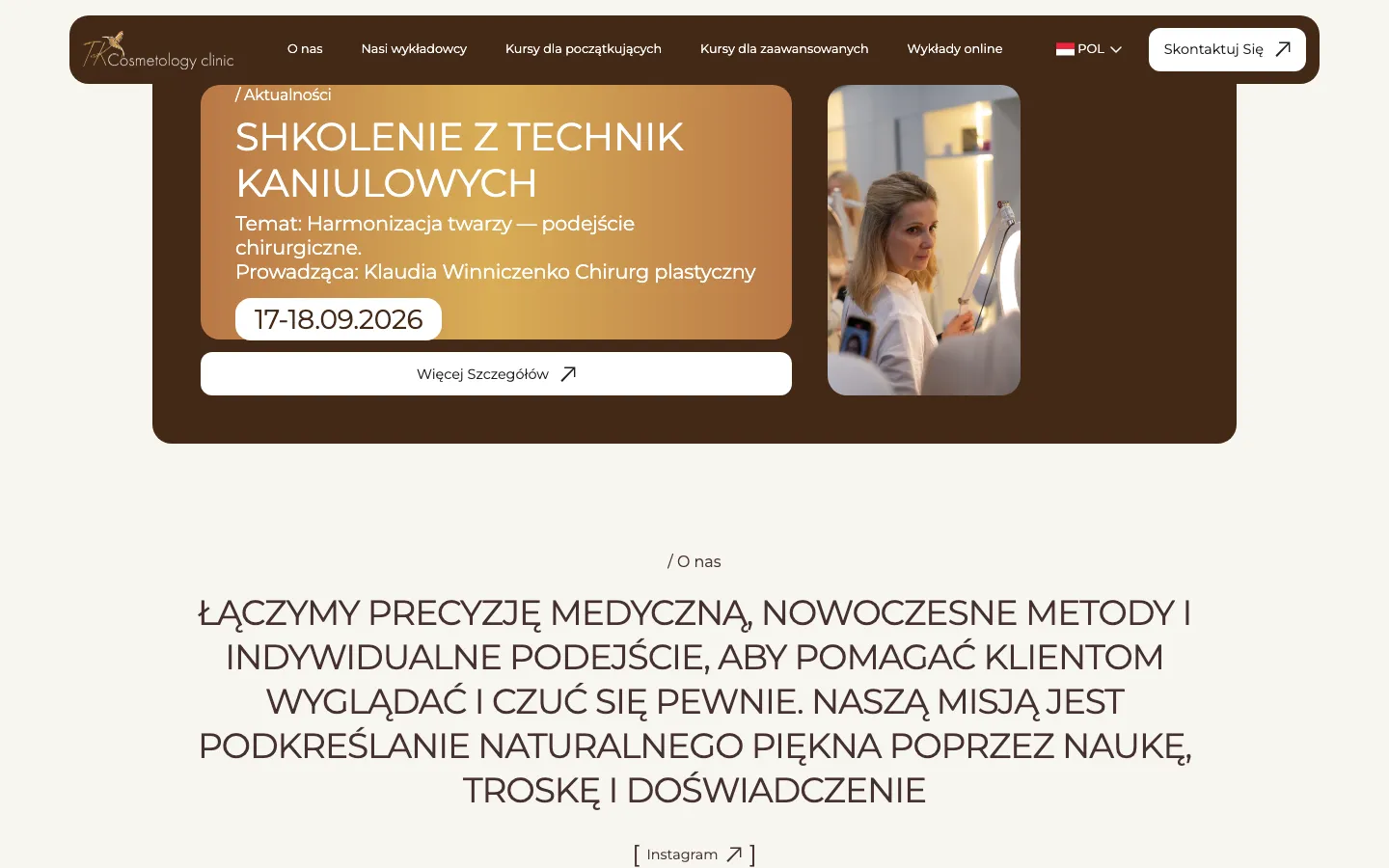
Student material also needs editorial care. A review should remain a review of that person's experience, not become a guaranteed outcome for everyone who signs up. We do not use the student totals or qualification claims visible in archived imagery as independently verified results of this website project. The case concerns how the school presents its materials and courses, not an assessment of the training itself.

A messenger link starts a conversation

The recorded registration route uses Telegram and WhatsApp. That creates a handoff from the website to a channel where the school can respond. It is useful to name that action accurately: opening a conversation does not necessarily reserve a place, confirm eligibility or complete a purchase. The surrounding wording should help the visitor understand what still needs to be agreed after leaving the page.

For a comparable website, we would check the destination account and the context carried into the conversation using an authorised test. The school needs to know which course the person is asking about, and the visitor needs a clear expectation of the next step. A messenger route does not automatically make replies immediate or eliminate every lost enquiry. Response handling remains an operational responsibility after the website handoff.

Preparing courses for two language versions

  1. Agree the course structure

    Collect the actual categories, programmes, formats and entry conditions before building the templates. Include an introductory course, an advanced example and an online lecture in the review. These examples reveal whether one common structure is useful and where a different format needs an additional explanation.

  2. Approve profiles and translations

    Prepare instructor material and course wording in Polish and Ukrainian with consistent meaning. Keep names and professional statements aligned across the versions. A fluent translation still needs review if it changes the apparent level of the course, its conditions or what a participant is told to expect.

  3. Follow the contact handoff

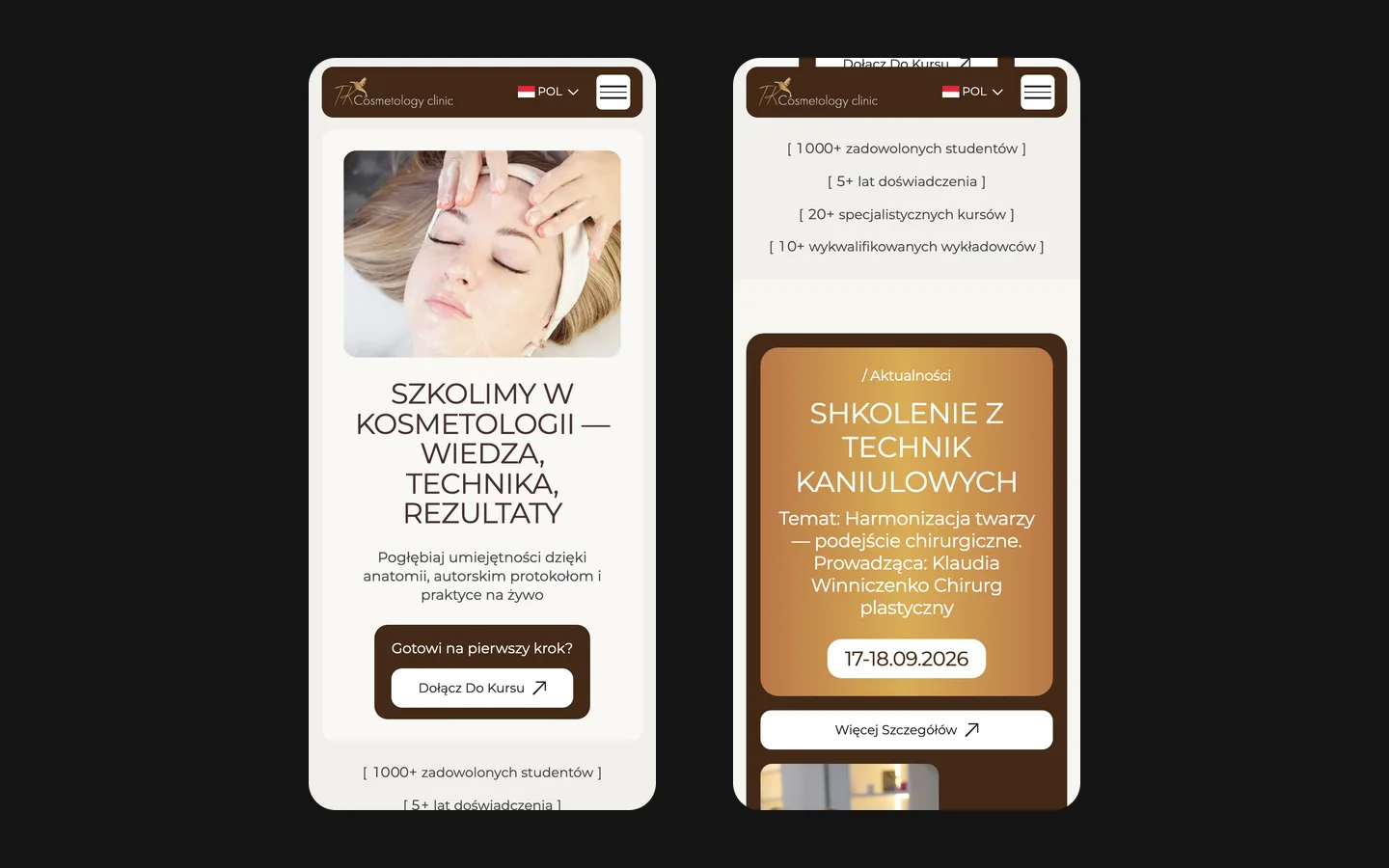
    Move from each learning route to its intended contact channel and confirm that the destination is understandable. Test the mobile presentation of longer course names and profile material. Agree who updates changed dates, descriptions and contact destinations so the published website does not drift away from the school's current offer.

What the project establishes

TK Cosmetology demonstrates an educational presentation on Webflow with distinct course navigation, instructor material, two languages and messenger contact routes. The cream and brown composition, large type and photographic framing give the saved version a coherent visual direction. The site scope is separate from course delivery, professional certification and any software used to teach students after enrolment.

The case does not report a measured increase in enrolments. If you are planning a similar school website, the most useful inputs are the approved course catalogue, entry conditions, instructor profiles and an explanation of how enquiries become confirmed registrations. Those materials let us organise a clear choice, estimate the language and content work, and agree what the website should accomplish before the conversation passes to your team.

What the site does

Project features

  • Choose a course route

    Level and format distinguish the offer.

  • Meet the instructors

    Profiles introduce the teaching team.

  • Ask about participation

    Messenger links open the contact route.

  • Read in two languages

    Polish and Ukrainian presentation.

“Thank you for the presentation and the meeting. Everything was clear and to the point.”
TK Cosmetology · Healthcare · Aesthetic medicine education (Poland) · translated from the original

OriginalДякую за представлену презентацію і зустріч Дуже все зрозуміло і чітко

Questions

About TK Cosmetology

How does the TK Cosmetology site serve beginners and professionals at once?

Beginner courses, advanced courses and online lectures have distinct entries in the first-screen navigation.

What languages is the TK Cosmetology site in?

The recorded website includes Polish and Ukrainian versions.

How do students register on the TK Cosmetology site?

The recorded contact route opens Telegram or WhatsApp. The school confirms participation conditions and registration.

Start a similar project.

Tell us what your site has to do. A short call, then a fixed price in writing.