Case · Hospitality

Re.bro: two dining experiences, one website.

Re.bro is a grill and bar in Wrocław and Gdańsk with a second face as a bistro: two moods under one roof. The site had to let a visitor pick which one they came for within a few seconds, on a phone, in the evening, and get to the menu and a table without effort. Webflow, edited by the client.

  • Hospitality
  • Restaurant
  • Webflow
  • Polish
  • Wrocław · Gdańsk
rebro.com.plRe.bro website preview
Two cities, two moods

Wrocław and Gdańsk; grill and bar by night, bistro by day. checked on the live site · Sep 2026

Built on Webflow

Menu and photos edited by the client. checked on the live site · Sep 2026

Built for a phone at eight

Menu, atmosphere and a table inside thumb reach.

The project

Task, approach and delivery

The task

Re.bro arrived as a referral from a client we had finished six months earlier. It is a grill and bar in Wrocław with a second face as a bistro: two moods under one roof, and now a second city.

The site had to let a visitor pick which mood they came for within a few seconds, and it had to be tuned for the moment the decision is made: a phone, in the street, at eight in the evening.

The approach

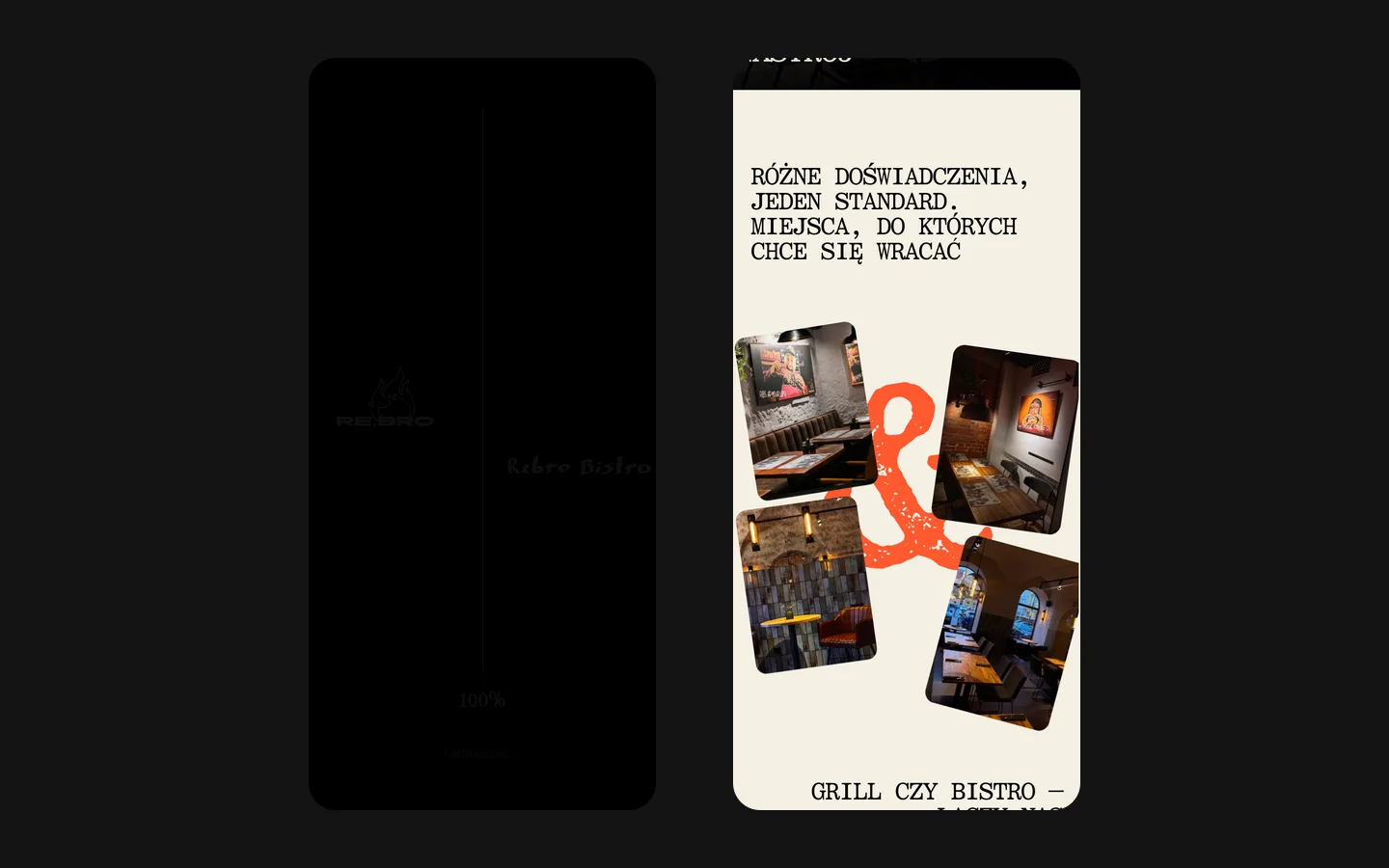
The whole build is tuned for that phone: menu, atmosphere and a table, all inside thumb reach. Google reviews with named authors and photography that opens instead of fading do the persuading.

We caught and fixed a detail nobody reports: Safari’s address bar on an iPhone sitting exactly on top of the link to the menu. People do not report that; they eat somewhere else.

What we delivered

A restaurant site on Webflow that the client edits themselves: menu, photos, news. Domain and hosting in the client’s name.

A restaurant website begins with the guest’s decision

Re.bro presents a grill and bar alongside a bistro, with venue information for Wrocław and Gdańsk. The website gives each place a recognisable visual presence and keeps practical choices accessible on a phone. An on-page menu and client-managed content support the journey from exploring the atmosphere to planning a visit.

The first screen makes the choice visible

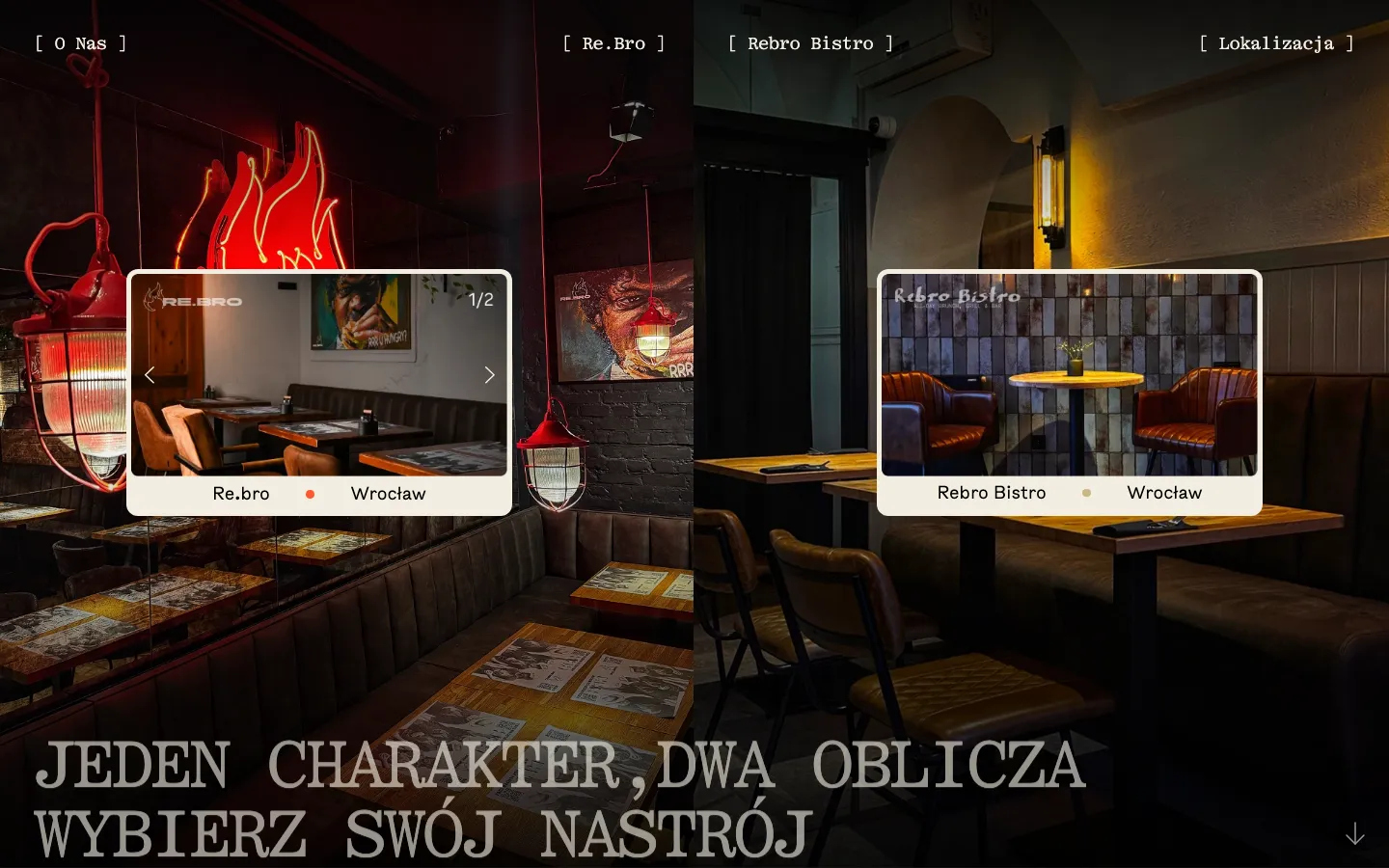
The desktop layout is divided into two interior scenes. Each side has its own framed image and a venue label. The arrangement makes the two experiences visible before the visitor has to read a long explanation. Their shared typography and framing still make them feel like parts of the same business.

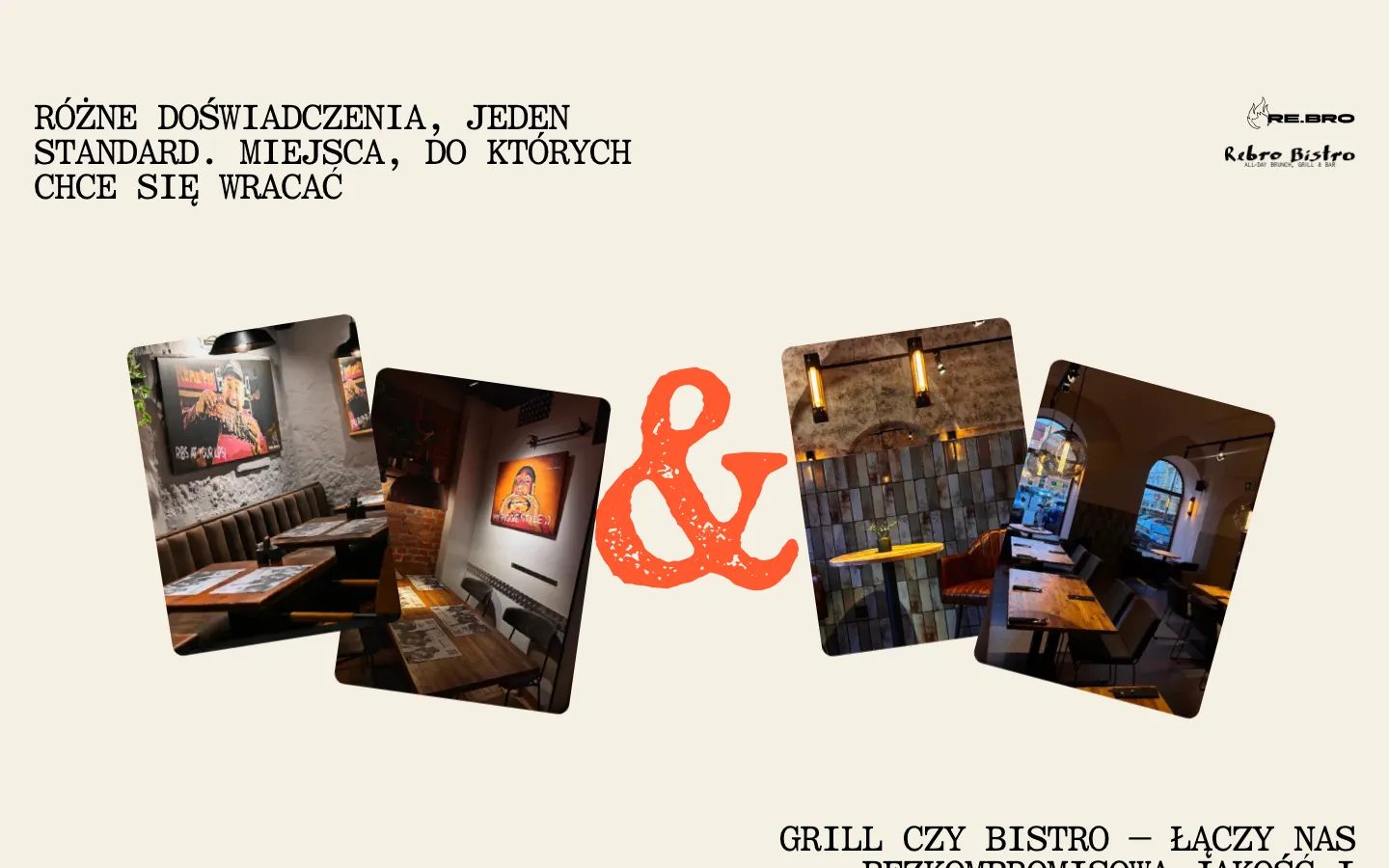
This is more specific than using one large food image for every venue. An interior tells someone what kind of visit they are considering: the atmosphere, the room and the setting for the meal. The name and location then connect that impression to an actual place. A visitor should not need to guess whether two attractive images show the same restaurant or different options.

The information a guest needs next

Menu
The website presents the menu as a page rather than relying on a PDF. That allows the website layout to handle the small screen. The important content is the food and its description; a decorative frame should not make the guest zoom or search for the next part of the menu.
Venue and location
A shared website has to preserve the relationship between the chosen place and the information shown afterwards. This becomes more important with more than one city. A visitor who selected a Wrocław venue should be able to identify its details without confusing them with another location.
A route to a table
Once the guest has seen enough, the next action should be available without another tour through the brand story. The case records a route towards reservation; it does not claim that HeadPills built a custom table-allocation engine or the restaurant’s internal booking software.

One small browser detail changed the implementation

The project record describes a specific issue found on iPhone: Safari’s address bar overlapped the link to the menu. The position was corrected. This is a useful example because a desktop layout can look complete while a browser control blocks the action on the actual device.

The lesson is about the testing method, not a claim that one adjustment increased bookings by a measured percentage. A comparable restaurant site should be checked while the browser controls appear and disappear, with real menu content and the main actions in use. A screenshot alone cannot show whether a control remains reachable during scrolling or after another panel opens.

A short journey with distinct decisions

  1. Choose the place

    Use the venue imagery and labels to identify the experience and location. For a group of restaurants, this step should happen before the site presents information that differs between venues. The visual choice needs a readable label as well as an attractive picture.

  2. Check the offer

    Read the menu, look at photographs and review the practical information. Re.bro also includes Google reviews with named authors. These sources answer different questions: photography shows the setting, the menu explains the offer and reviews provide other guests’ accounts.

  3. Continue towards a visit

    Use the relevant reservation or contact route after deciding. The website should make this transition easy to find. Confirmation, table availability and the restaurant’s response remain part of the booking process and cannot be inferred from a prominent button alone.

Keeping a restaurant site accurate

The Re.bro team can update menu content and photographs in Webflow. This is important because a restaurant website is consulted for current information. The ability to edit should support a simple internal routine: decide who approves a change, which venue it belongs to and whether the related page also needs updating.

For a similar brief, prepare the venue list, current menus, the actual reservation destinations and photographs that show each place accurately. Identify which content is shared and which is different by location. That decision affects the structure more than the total number of pages. A single duplicated description is rarely enough to explain genuinely different dining experiences.

Re.bro combines venue presentation, an on-page mobile menu and content the client can update in Webflow. The iPhone layout adjustment addresses the way the site behaves in an actual viewing context. The visual choice between places remains connected to practical information about the visit. For a restaurant website, that continuity matters: atmosphere attracts interest, while readable details help a guest decide where to go and how to continue.

What the site does

Project features

  • Two moods, one choice

    Grill and bar or bistro: the visitor picks in seconds.

  • Menu as a page

    Not a PDF; readable on a phone in the street.

  • Reviews with names

    Google reviews with authors on the site, because guests check them before booking.

  • Photos that open

    Photography a guest can open, not a fading slideshow.

  • Two cities

    Wrocław and Gdańsk from one site.

  • Edited by the client

    Menu and photos changed without a developer.

“A restaurant site has one job: show the menu, the hours and how to book, fast, on a phone. HeadPills did exactly that, and it looks the way our place feels. Guests find us, see what is on the grill and come in.”
Re.bro · Grill bar, Poland · approved by the client

Questions

About Re.bro

What is the Re.bro site built on?

Webflow, with a custom design tuned for a phone. The client edits the menu and photos themselves.

Which cities does the Re.bro site cover?

Wrocław and Gdańsk, as on the live site in September 2026.

What was the hardest part of the Re.bro build?

A detail nobody reports: on an iPhone, Safari’s address bar sat exactly on top of the menu link. We caught it in testing on real phones and moved the link; guests never see the problem that would have sent them elsewhere.

Start a similar project.

Tell us what your site has to do. A short call, then a fixed price in writing.